Ressive.Hu / CODE Samples / Windows Phone / Learn XAML / Clock Saver
|
To run this sample application do the following:
- Install application named Learn XAML on your Windows Phone.
- Discover preinstalled sample applications.
- Create a new sample application.
- Copy (overwrite) JavaScript and XAML codes (listed below) into the code and xaml text editor for the new sample application and save.
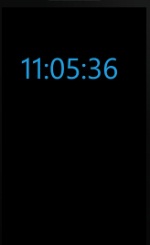
- In the sample list touch the application name: Clock Saver to start.
|
 JavaScript (full code view content) JavaScript (full code view content)
//to hide systemtray's clock
Microsoft.Phone.Shell.SystemTray.IsVisible = false;

//timer to update time
var MyTimer = new System.Windows.Threading.DispatcherTimer();
MyTimer.Interval=System.TimeSpan.FromSeconds(1);
MyTimer.add_Tick(function (s, e) {
upClk();
});
MyTimer.Start();

function upClk()
{
  var dCx = host.UI.LayoutRoot.ActualWidth;
  var dCy = host.UI.LayoutRoot.ActualHeight;
  if( dCx > 1 )
  {
    dCx = dCx - host.UI.txtblk.ActualWidth;
    dCy = dCy - host.UI.txtblk.ActualHeight;
    dCx = dCx * Math.random();
    dCy = dCy * Math.random();
  }
  host.UI.txtblk.Margin =
  new System.Windows.Thickness(dCx,dCy,0,0);

  var dNow = new Date();
  var sNow = ""
  sNow = sNow.concat(dNow.getHours().toString(),
  ":", pado(dNow.getMinutes()), ":",
  pado(dNow.getSeconds()))
  host.UI.txtblk.Text = sNow;
}

function pado(i)
{
  var res = "";
  if( i>0 && i<10 )
  {
    res = "0";
  }
  if( i==10 || i==20 || i==30 || i==40 || i==50 )
  {
    res = res.concat(Math.floor(i / 10).toString(),
    "0");
  }
  else
  {
    if( i==0 )
    {
      res = "00";
    }
    else
    {
      res = res.concat(i.toString());
    }
  }
  return res;
}

host.add_Loaded(function()
{
  upClk();
});

});
|
|
XAML (full xaml view content)
<UserControl xmlns:toolkit="clr-namespace:Microsoft.Phone.Controls;assembly=Microsoft.Phone.Controls.Toolkit" x:Class="JavvascriptSnippets.SampleJavascript" xmlns="http://schemas.microsoft.com/winfx/2006/xaml/presentation" xmlns:x="http://schemas.microsoft.com/winfx/2006/xaml" xmlns:d="http://schemas.microsoft.com/expression/blend/2008" xmlns:mc="http://schemas.openxmlformats.org/markup-compatibility/2006" mc:Ignorable="d" FontFamily="{StaticResource PhoneFontFamilyNormal}" FontSize="{StaticResource PhoneFontSizeNormal}" Foreground="{StaticResource PhoneForegroundBrush}" xmlns:sys="clr-namespace:System;assembly=mscorlib" d:DesignHeight="480" d:DesignWidth="480">
  <UserControl.Resources>
    <sys:String x:Key="_manifest" xml:space="preserve">
      <![CDATA[
      <SnippetManifest>
        <Author>
          <Name>SocialEbola User</Name>
          <WebSite>http://socialebola.wordpress.com</WebSite>
        </Author>
        <EntryPoint>
          <Title>Clock Saver</Title>
          <!--<IconUri>http://server/something.png</IconUri> -->
        </EntryPoint>
      </SnippetManifest>
]]>
    </sys:String>
    <!-- The following code will be loaded and executed when the XAML is done loading. -->
  </UserControl.Resources>
  <Grid x:Name="LayoutRoot">
    <TextBlock x:Name="txtblk" FontSize="96" Foreground="{StaticResource PhoneAccentBrush}" />
  </Grid>
</UserControl>
|
|
keywords: SystemTray, DispatcherTimer, ActualWidth, ActualHeight, Margin, Thickness
application tested on: NOKIA Lumia 610 | 800 + Windows Phone 7.8
comments, suggestions and error reports are welcome: gyuszi.csaszar@gmail.com
NOTE: On any error or exception Learn XAML will close without a message!
Anno 2008.

|